Accounting automation makes sense when repetitive bookkeeping tasks start taking up more time than they should, when transaction volume grows faster than your current process can handle, or when financial reports are consistently late when you need them most. If you are already using spreadsheets or handling parts of your accounting manually, the decision to automate usually comes down to one question: is the time and risk of your current process outweighing the effort of switching to software that can handle the repetitive parts for you?
This article walks through the specific business situations where automation typically becomes worthwhile, which accounting tasks can realistically be automated, and where human oversight still matters.
What Is Accounting Automation?
Accounting automation is the use of software to handle repetitive accounting processes, such as recording transactions, categorizing expenses, and generating financial statements, with less manual data entry.
It is useful to distinguish between three related but different things:
Traditional accounting software digitizes bookkeeping. It still requires a person to enter or import most transaction data, apply categories, and generate reports manually.
Rule-based automation applies predefined logic. For example, a system might automatically categorize a recurring vendor payment the same way every time, based on rules the business or accountant sets up in advance.
AI-assisted accounting goes a step further by using machine learning to read documents, suggest categorizations, and flag inconsistencies, reducing manual effort while still allowing a person to review and correct the output.
None of these replace the need for accounting knowledge or financial oversight. Automation changes how transaction data is processed and organized. It does not remove the need for someone, whether a business owner or an accountant, to review financial information, apply professional judgment, and make decisions based on it.
When Does Accounting Automation Make Sense?
Automation tends to make sense when specific, recognizable problems appear in day-to-day bookkeeping, rather than as a general upgrade every business needs at the same stage.
1. Manual Data Entry Is Taking Too Much Time
As a business grows, someone has to enter invoices, log expenses, record transactions, and match receipts to accounting entries. Early on, this might take a few minutes a day. As activity increases, the same repetitive tasks, typing in vendor names, amounts, dates, and payment references, start consuming hours each week.
Software that can automatically pull data from invoices and bank transactions reduces this repetitive re-entry. It does not eliminate the need to check the data, but it removes much of the manual typing involved in getting transactions into the books.
2. Transaction Volume Is Increasing
A bookkeeping process that works comfortably with a small number of transactions can become difficult to maintain as volume grows. There is no fixed number of transactions at which automation becomes necessary. What matters is whether your current process, whether that is a spreadsheet, a shared document, or manual entry into accounting software, can keep up accurately without consuming a disproportionate amount of time.
When transaction volume grows faster than the process used to manage it, errors and delays tend to increase, which is usually a sign that a more structured, automated workflow would help.
3. Expense Categorization Is Becoming Difficult to Manage
As a business takes on more purchases, subscriptions, vendor invoices, and operating costs, keeping expense categories consistent becomes harder. The same type of expense might get labeled differently depending on who enters it, which makes financial reports less reliable.
Automated or AI-assisted expense categorization can apply consistent rules across transactions, learning from prior categorizations to suggest how new ones should be classified. Unusual or ambiguous transactions, such as a one-off purchase that does not clearly fit an existing category, will still need a person to review and confirm how they should be recorded.
4. Financial Reports Take Too Long to Prepare
Having transaction data is not the same as having usable financial statements. Many businesses record transactions regularly but still cannot produce an up-to-date report when they need one, because pulling that data together into a Profit & Loss statement, Balance Sheet, or Trial Balance takes manual work.
A Profit & Loss statement shows revenue and expenses over a period, giving a picture of whether the business made or lost money. A Balance Sheet shows what the business owns and owes at a point in time. A Trial Balance lists account balances to confirm that debits and credits are in agreement, which is a core check in double-entry accounting.
Automating the generation of these reports from recorded transactions means they can be produced closer to real time, rather than compiled manually at the end of a reporting period.
5. You Do Not Have a Clear View of Business Finances
There is a difference between recording transactions and actually having current financial information available when you need it. A business can be diligent about entering data and still lack visibility into revenue, expenses, outstanding receivables, upcoming payables, and overall financial position, if that data is not organized into accessible reports.
Structured, automated accounting records make it easier to see this information without having to reconstruct it manually. This improves visibility into financial position. It does not automatically improve profitability or business performance, which still depend on the decisions made using that information.
6. Month-End Accounting Has Become a Bottleneck
When invoices, receipts, and records are scattered across email, spreadsheets, and paper, month-end accounting often turns into a rush to reconstruct the period before reports can be closed. This is a common sign that the underlying process needs more structure.
Automating the ongoing recording of transactions throughout the month, rather than doing it all at once, spreads the workload out and reduces the amount of reconciliation and catch-up work that piles up at month-end.
7. Your Business Needs More Consistent Accounting Records
Manual processes are prone to inconsistent categorization, missing information, and duplicated entries, particularly when more than one person is involved in bookkeeping. These inconsistencies can make financial reports unreliable.
Automation can reduce certain types of manual errors, such as mistyped amounts or missed entries. It is important to be clear that automation is not immune to errors. If a categorization rule or an AI-suggested classification is wrong and goes unreviewed, that same mistake can be applied consistently across many transactions. Automation reduces some error types while introducing the need to review the rules and logic being applied.
8. Your Accountant Is Spending Time on Repetitive Work
When an accountant or bookkeeper spends most of their time on data entry, categorization, and manual report preparation, less time is available for reviewing financial data, catching discrepancies, and providing analysis or advisory input.
Automation is not about removing accountants from the process. It shifts their time away from repetitive processing and toward the tasks that require professional judgment, such as reviewing unusual transactions, interpreting financial results, and advising on financial decisions.
Which Accounting Tasks Can Be Automated?
Accounting automation applies unevenly across a business’s bookkeeping workload. Some tasks are well suited to automation, while others still require professional review.
Invoice processing. Software can extract data from invoices and, where supported, match it to corresponding transactions. Disputed, incomplete, or unusual invoices still need a person to check them.
Transaction recording. Routine transactions can be recorded automatically using double-entry accounting. Transactions with unclear classification still need review before they are finalized.
Expense categorization. Consistent categories can be applied based on rules or prior patterns. New expense types or ambiguous purchases still need a person to confirm how they should be classified.
Bookkeeping entries. Routine, recurring journal entries can be automated. Adjusting entries, corrections, and accruals still require professional judgment.
Receivables and payables tracking. Recording invoices issued and bills received, and tracking their status, can be automated. Following up on disputes or non-standard payment terms still needs human involvement.
Financial statement preparation. Profit & Loss statements, Balance Sheets, and Trial Balances can be generated automatically from recorded data. Interpreting the results and explaining variances still requires a person.
Recurring accounting workflows. Monthly or periodic bookkeeping tasks that repeat can be automated. The output still needs to be reviewed before it is relied upon.
Document processing. Reading and organizing receipts, invoices, and supporting documents can be automated. Verifying the accuracy of what was extracted still needs review.
When Should You Not Rely Entirely on Accounting Automation?
Accounting automation is a tool for processing and organizing financial information. It is not a substitute for every accounting, tax, or financial decision.
Human review remains necessary for unusual or one-off transactions that do not fit standard categorization rules, for corrections to prior entries, and for complex accounting treatment that requires interpretation rather than pattern matching. Tax decisions, regulatory interpretation, and audit preparation also require professional judgment that software cannot provide on its own.
Automation is also limited by the quality of the data it receives. Incomplete source documents, missing invoices, or inconsistent input will produce incomplete or inaccurate output, regardless of how automated the process is. Strategic financial decisions, such as pricing, investment, or financing choices, rely on judgment and context that go beyond what any accounting system can generate automatically.
Accounting Automation for UAE Businesses
Accounting automation is relevant to UAE businesses in a specific way: it supports the structured record-keeping that VAT and Corporate Tax obligations already require. Businesses operating in the UAE need to maintain structured accounting records to support VAT compliance, Corporate Tax obligations, and general financial reporting. As transaction volume grows, keeping invoices, supporting documents, and records organized manually becomes harder to sustain accurately.
Automated accounting processes can help maintain consistent, well-organized records that make it easier to prepare the financial information used to support VAT filings and Corporate Tax reporting. This article does not provide tax advice, and specific VAT or Corporate Tax requirements should always be verified against current guidance from the UAE Federal Tax Authority and the Ministry of Finance, since requirements can be detailed and subject to change.
It is also important to be clear that using accounting software, automated or otherwise, does not by itself guarantee tax or regulatory compliance. Compliance depends on the accuracy of the underlying data, correct application of the relevant rules, and, in most cases, review by a qualified accounting or tax professional.
Manual Accounting vs Automated Accounting
Manual accounting and accounting automation differ most in how consistently they handle growing workloads, not in whether one is universally correct.
Data entry. In manual accounting, each transaction is entered by hand. With accounting automation, data is extracted and recorded with reduced manual input.
Expense categorization. With manual accounting, categorization depends on the person entering the data and the consistency of the procedures being followed. Automated systems can apply predefined rules or patterns more consistently.
Reporting. Manual reports are compiled after the fact, often under time pressure. Automated reporting is generated on an ongoing basis from recorded data.
Scalability. Manual processes become harder to maintain as transaction volume grows. Automated processes are designed to handle higher volumes without a proportional increase in effort.
Human review. Manual accounting requires review at every step. Automated accounting still requires review, but it is more focused on exceptions and verification than on routine entry.
Access to current financial information. Manual accounting often delays access until reports are manually prepared. Automated accounting generally makes financial information more accessible on an ongoing basis.
Neither approach is universally superior. A small business with very few transactions may not need automation yet, while a growing business handling more invoices, expenses, and reporting demands may find that manual processes no longer keep pace. In both cases, human review remains part of producing reliable financial information.
How to Decide Whether Your Business Is Ready for Accounting Automation
There is no single indicator that determines whether a business should automate its accounting. Instead, it is worth considering whether several of the following conditions apply:
- Bookkeeping is consuming an increasing amount of time each week
- Transaction volume is growing faster than your current process can comfortably handle
- Financial reports are consistently delayed when you need them
- Records are spread across multiple spreadsheets, inboxes, or systems
- Repetitive accounting work is taking up time your accountant could spend on review and analysis
- Financial information is difficult to access quickly when a decision needs to be made
If several of these conditions describe your current situation, it is a reasonable point to evaluate accounting automation, rather than treating it as something to delay indefinitely or adopt immediately without cause.
Where BookBI Fits Into Accounting Automation
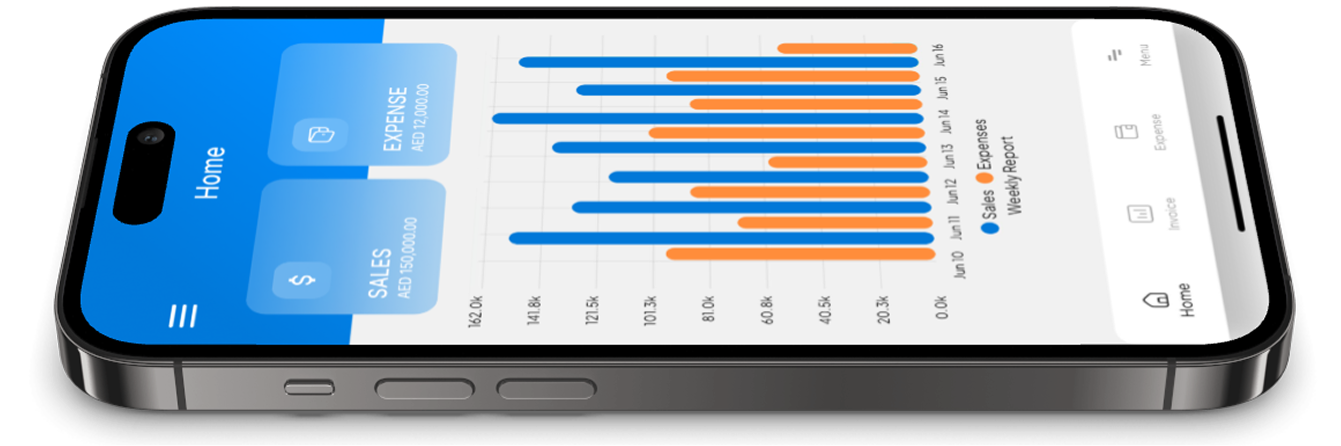
BookBI is an AI accounting app built to make accounting more accessible to business owners and accounting professionals. It supports automated accounting workflows, including document and transaction processing, expense categorization, and double-entry accounting, with the aim of reducing the manual work involved in day-to-day bookkeeping.
BookBI generates core financial statements, including the Profit & Loss statement, Balance Sheet, and Trial Balance, from recorded transaction data, giving business owners and their accountants more accessible financial information to work from. As with any accounting automation tool, the output is meant to support review and decision-making, not replace the professional judgment of an accountant, tax advisor, or auditor.
Conclusion
Accounting automation makes sense when repetitive bookkeeping work starts consuming significant time, when transaction volume grows beyond what a manual process can reliably handle, when financial reports are consistently delayed, or when the business needs more consistent, accessible financial information. It is not a decision that applies the same way to every business, and it does not remove the need for professional oversight of unusual transactions, tax matters, and financial decisions.
If your bookkeeping process is starting to show these signs, it may be worth looking at how automated accounting could fit into your workflow. BookBI is built to help business owners and accounting professionals manage recording, categorization, and reporting more efficiently, while keeping the review and judgment that good accounting still depends on in the hands of the people using it.